Your training, properly measured
Plan, log and share your workouts. Routines built by your coach, personal-record tracking and real progress in every session.



- exercises in the catalogue
- 1,300+
- scientific sources behind the guides
- 150+
What's been logged on My PR all together
Real platform data, updated daily.
205
workouts completed
97
hours of training
268 milkg
lifted between everyone
329km
covered running
Everything you need to train with intent
No extra screens: plan, log, and see whether you are actually progressing.
Plans that adapt
Blocks, sets and progressions laid out by week. Duplicate a routine, tweak it, and keep training without rebuilding it from scratch.
Logging in one tap
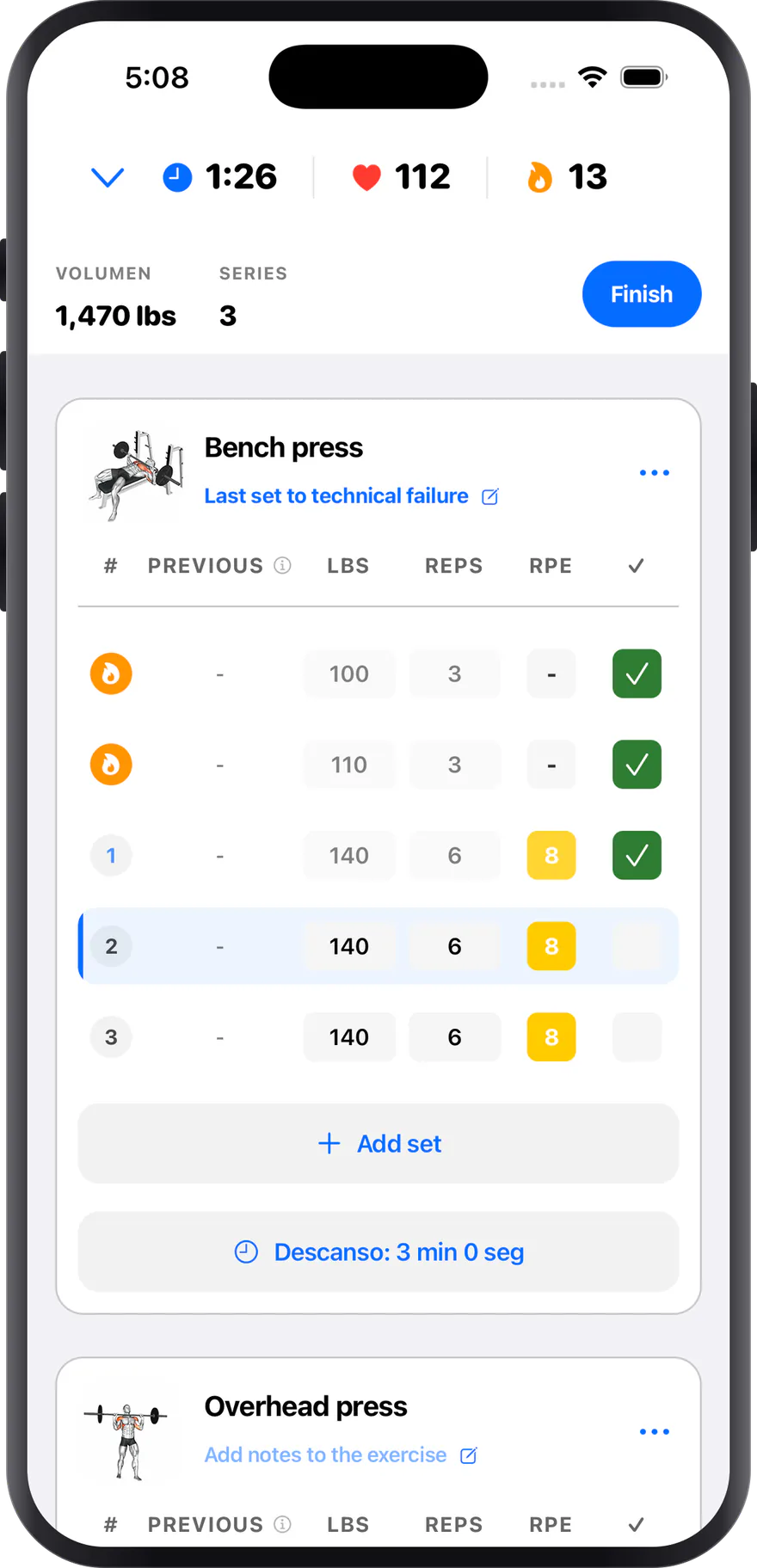
A set table built for the gym floor: weight, reps, RPE and rest without ever leaving the exercise screen.
Your PRs, always in sight
History per exercise, personal records, and a comparison with your last session so you know whether you are moving.
Your coach, connected
Share your plan with your coach: they edit your routines, review your sessions and adjust loads remotely.
Measurements and units your way
Weight, girths and your own metrics. Set your units and keep the full history of how they change.
Apple Health integration
Sync workouts and health data so the whole context of your progress lives in one place.
This is what you'll use every day
No mock-ups and no promises: the real screens of the app, exactly as they look on your phone.
Plans you don't have to rebuild
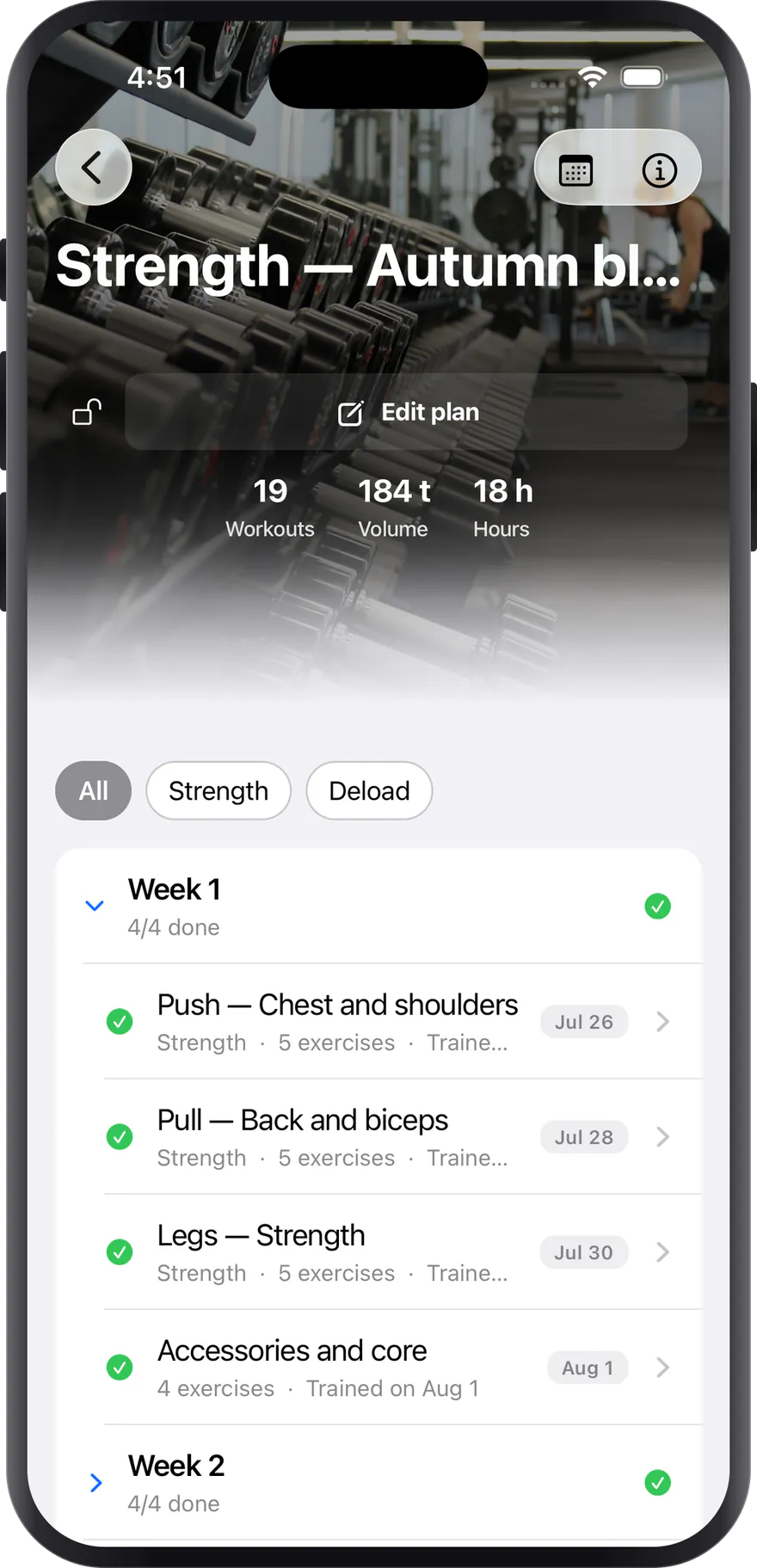
A plan is a block with its weeks and its sessions, not a loose list of routines. Duplicate it, adjust the loads and keep training instead of building it again from scratch.
- Weeks and sessions typed as strength, deload or accessories
- Duplicate a routine and tweak it instead of starting over
- Workouts, volume and hours for the whole block
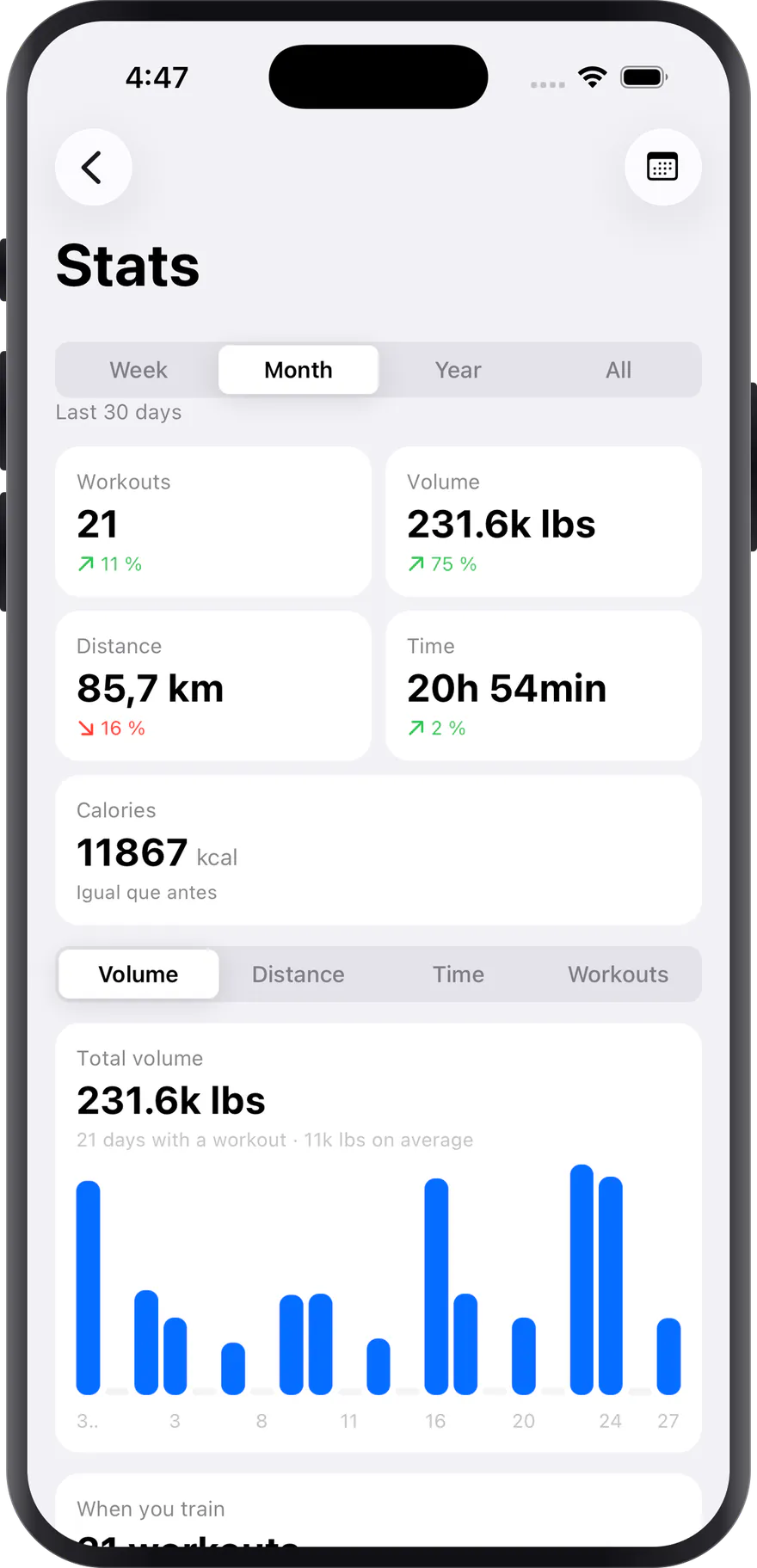
Your numbers, without a spreadsheet
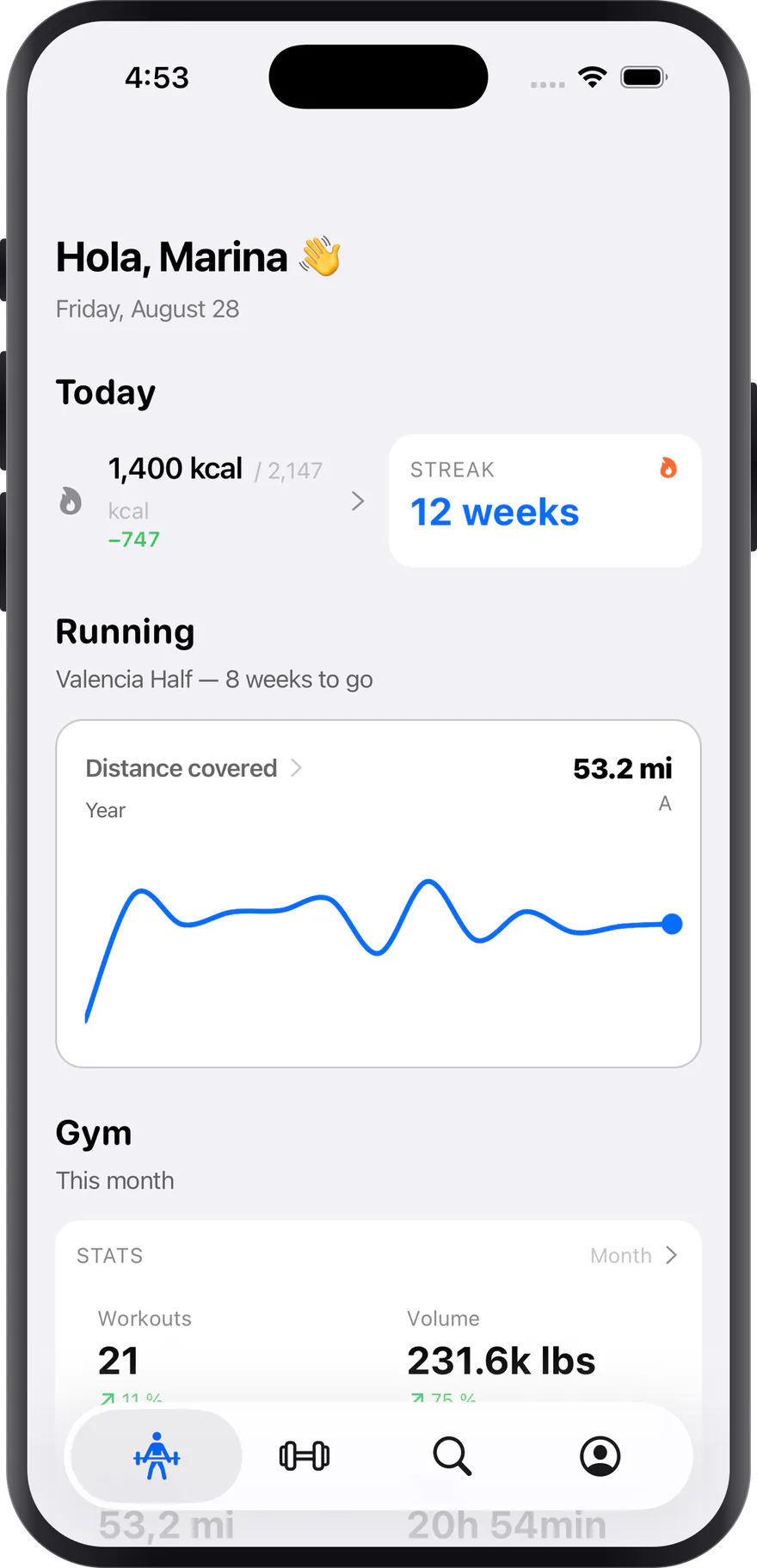
The figures that tell you whether you are progressing, compared on their own against the previous period. Week, month, year or the full history, with the same detail for lifting and for running.
- Automatic comparison against the previous period
- Volume, distance, time and calories in one place
- A chart per day, and the hours you usually train
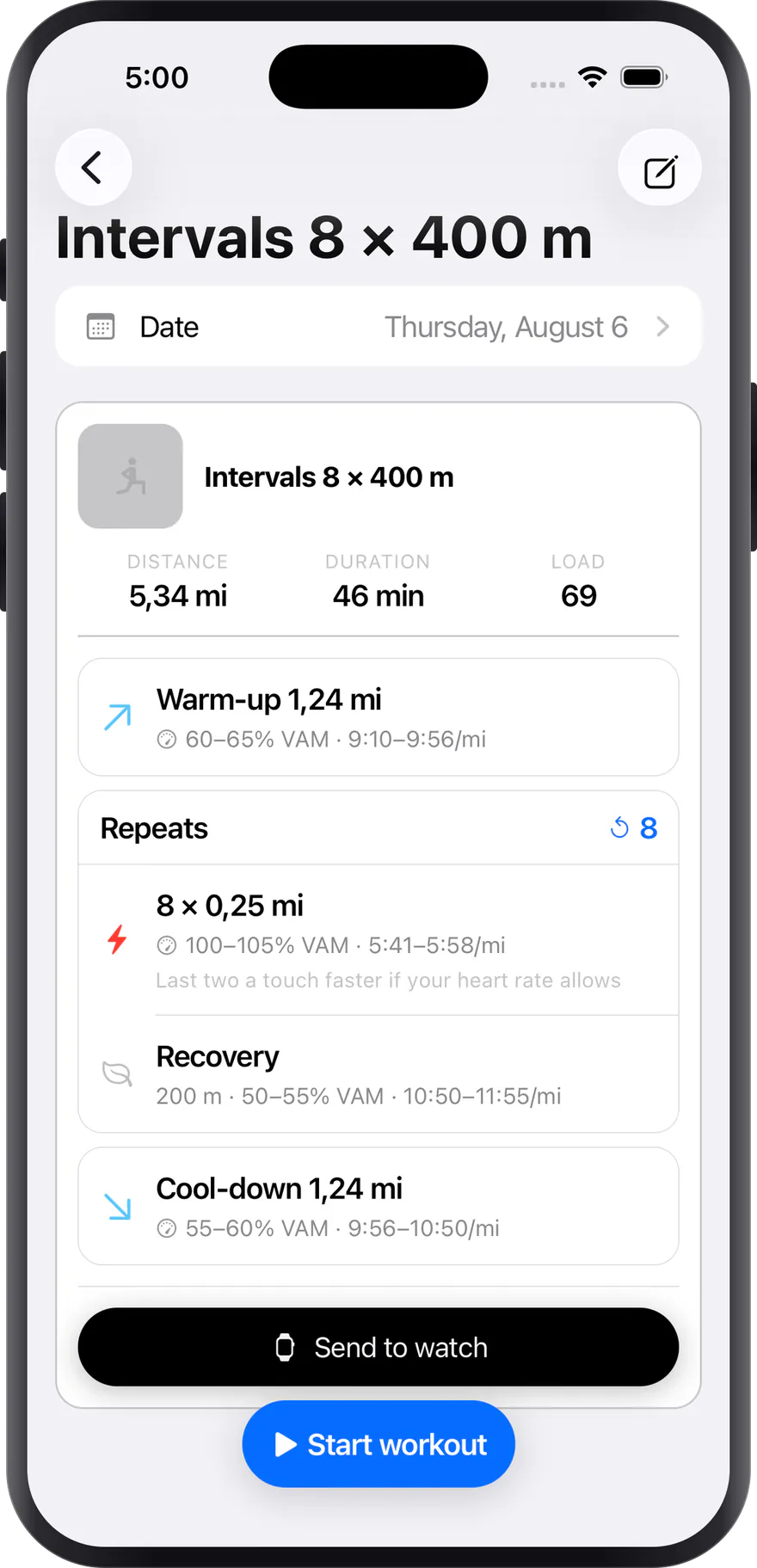
Intervals, on your watch
Every leg carries its distance, its target pace and its recovery, with the warm-up and cool-down already worked out. Send it to the Apple Watch and head out without your phone.
- Target pace per repeat, in min/km and in %MAS
- Warm-up and cool-down calculated from your zones
- Sent to the Apple Watch in one tap
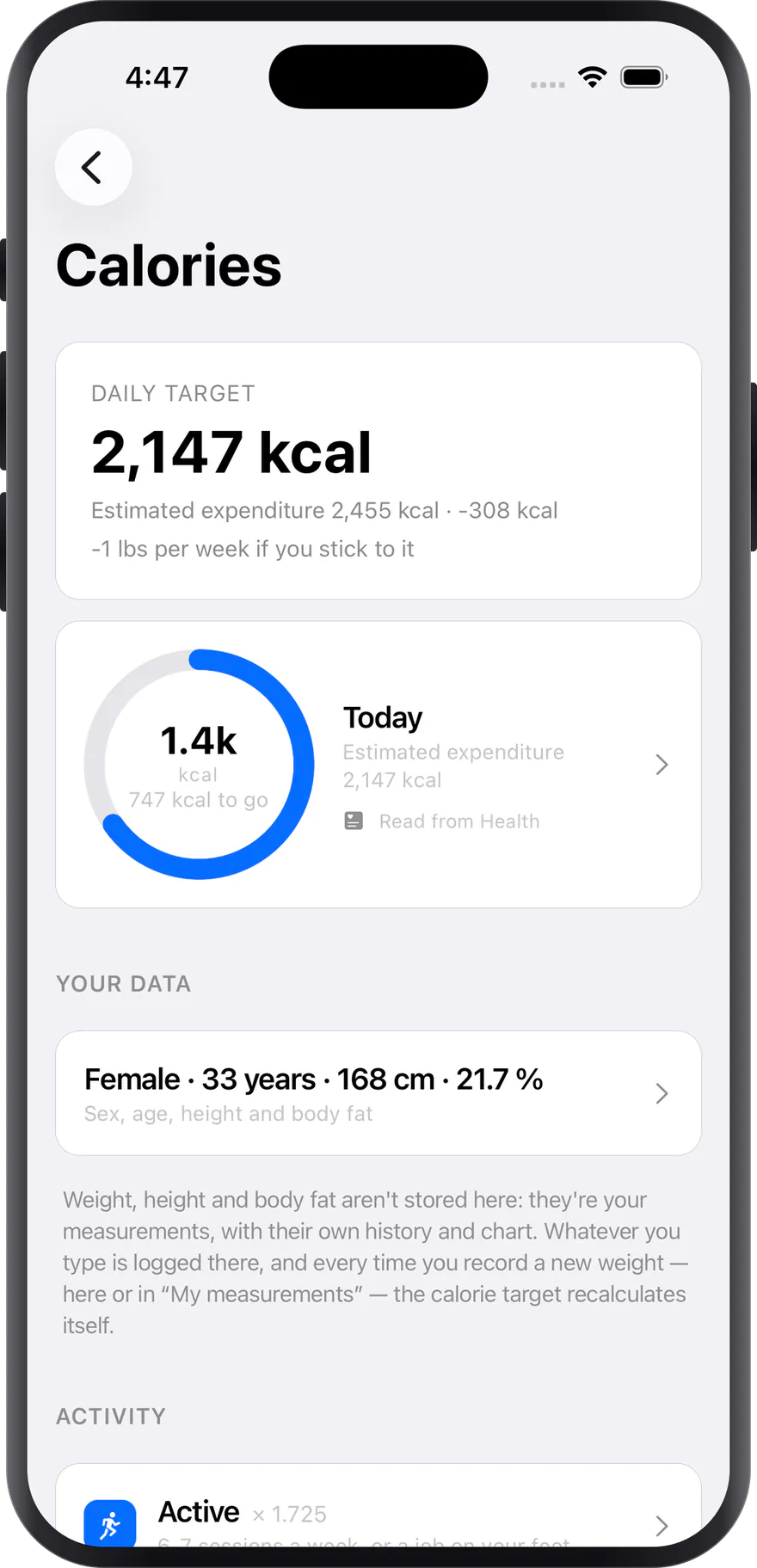
A target that recalculates itself
The daily target is worked out from your weight, height, age and activity, and it updates every time you log a new measurement. No going back through the form.
- Estimated expenditure and today's deficit or surplus
- Recalculates itself every time you log a weight
- Reads your activity from Health if you allow it
Everyone trains for something different
Pick the starting point that looks most like yours.
I am starting from zero
Ready-made routines and a step-by-step guide
See this use caseI train seriously
Data, RIR, e1RM and volume control
See this use caseI coach other people
Manage athletes and plans remotely
See this use caseGyms and teams
One methodology across several coaches
See this use caseI train at home
Dumbbells, bands or just your bodyweight
See this use caseHealth and longevity
Strength after 40, without the risk
See this use caseThree steps and you are training
From installing the app to logging your first session.
- 1
Build your plan
Start from a template, or build your own with blocks and exercises from the catalogue.
- 2
Train and log
Follow the session step by step. The app remembers your last loads and suggests the next target.
- 3
Measure progress
Review your records, your measurements and each exercise’s history to decide the next cycle.
A training guide, not a pile of tips
Chapters written from meta-analyses and official position stands, with the source next to every claim.
- Fundamentals: What to do on day one, why it works, and what volume, load and effort actually mean.
- Exercises and execution: The biomechanics that change decisions, how to choose exercises, and which technique myths you can ignore.
- Programming: Turning principles into a calendar: weekly structure, progression, deloads and metrics.
- Energy and calories: Where your expenditure comes from, how fast to lose or gain, and why the number expires the moment your weight moves.
- Sustaining it: Recovery, long-term health, and the shared vocabulary for reading any plan or study.
Starting from scratch: your first four weeks
The minimum you need to train well from day one: how many days, how many sets, how much weight, and what to expect month by month.
7 min · BeginnerThe training variables, with numbers
Volume, load, proximity to failure, frequency, rest, range of motion and tempo: what the evidence says about each, and what range to use.
12 min · IntermediateUseful biomechanics: levers, torque and resistance curves
Moment arms, the length–tension relationship and resistance profiles. The part of the physics that actually changes how you pick and perform exercises.
11 min · Intermediate42 sources cited — Every numerical claim comes with its meta-analysis, review or official position stand, linked and dated.
Manage your athletes from the browser
The web dashboard is the other half of the app: build the plans there, review what got done.
- Web dashboard with the full exercise catalogue
- Create your own exercises with video and target muscle
- Assign and edit your athletes’ plans remotely
- Review completed sessions and adjust the loads
Bench Press (Barbell)
Chest · Barbell
Pull Up
Lats · Bodyweight
Rope Face Pull
Shoulders · Machine
Romanian Deadlift
Hamstrings · Barbell
What people usually ask
Something missing? Write to us at hello@my-pr.app.
Yes. You can invite a coach to your profile and give them permissions on your plans: they will see your sessions and can adjust loads and exercises from the web dashboard.
Yes. Alongside the public catalogue you can create your own exercises with a video, target muscle, equipment and logging type.
The app keeps your session locally and syncs it once it is back online, so you can train in a basement with no signal.
It is yours. You can export it and delete your account whenever you want; we do not sell data to third parties.
Stop tracking your sets in your phone’s notes app
Build your plan, log every set, and check in two taps whether you are really progressing.