
Your gym log, but it does the maths
Plan your block week by week, log every set in one tap and see on every exercise whether you are progressing. With over 1,300 exercises, your records always in sight and a guide with the science behind it.
- «I write my sets in my phone notes and never look at them again»
- «I want to know if I am really lifting more than a month ago»
- «I keep switching routines because I can’t tell if mine works»
What happens today
Phone notes don’t compare
You write 80 × 5 and next week you can’t remember if it was 77.5 or 80. Without last time’s numbers next to you, every session starts from scratch.
You can’t tell if you’re progressing
Some days you feel stronger, some days weaker. Without a history per exercise, progress is a feeling, not a number.
You rebuild your routine every month
Putting a plan together takes effort, and when the block ends you’re back to a blank page.
What the app does
One-tap logging
Weight, reps, RPE and rest without leaving the exercise, with your previous session right beside it.
Records per exercise
A history for every exercise and your personal bests, compared with your last session so you know you’re moving forward.
Week-by-week plans
Blocks with their weeks and sessions —strength, deload, accessories—. Duplicate a routine and tweak it instead of rebuilding it.
Progress without spreadsheets
Volume, time and workouts for the week, month or year, compared with the previous period automatically.
Over 1,300 exercises
With video, target muscle and equipment. And if one is missing, create your own with its video.
Works without signal
The session saves on your phone and syncs when you’re back: train in the gym basement without losing anything.
This is what you'll use every day
No mock-ups and no promises: the real screens of the app, exactly as they look on your phone.
- 01
Workout
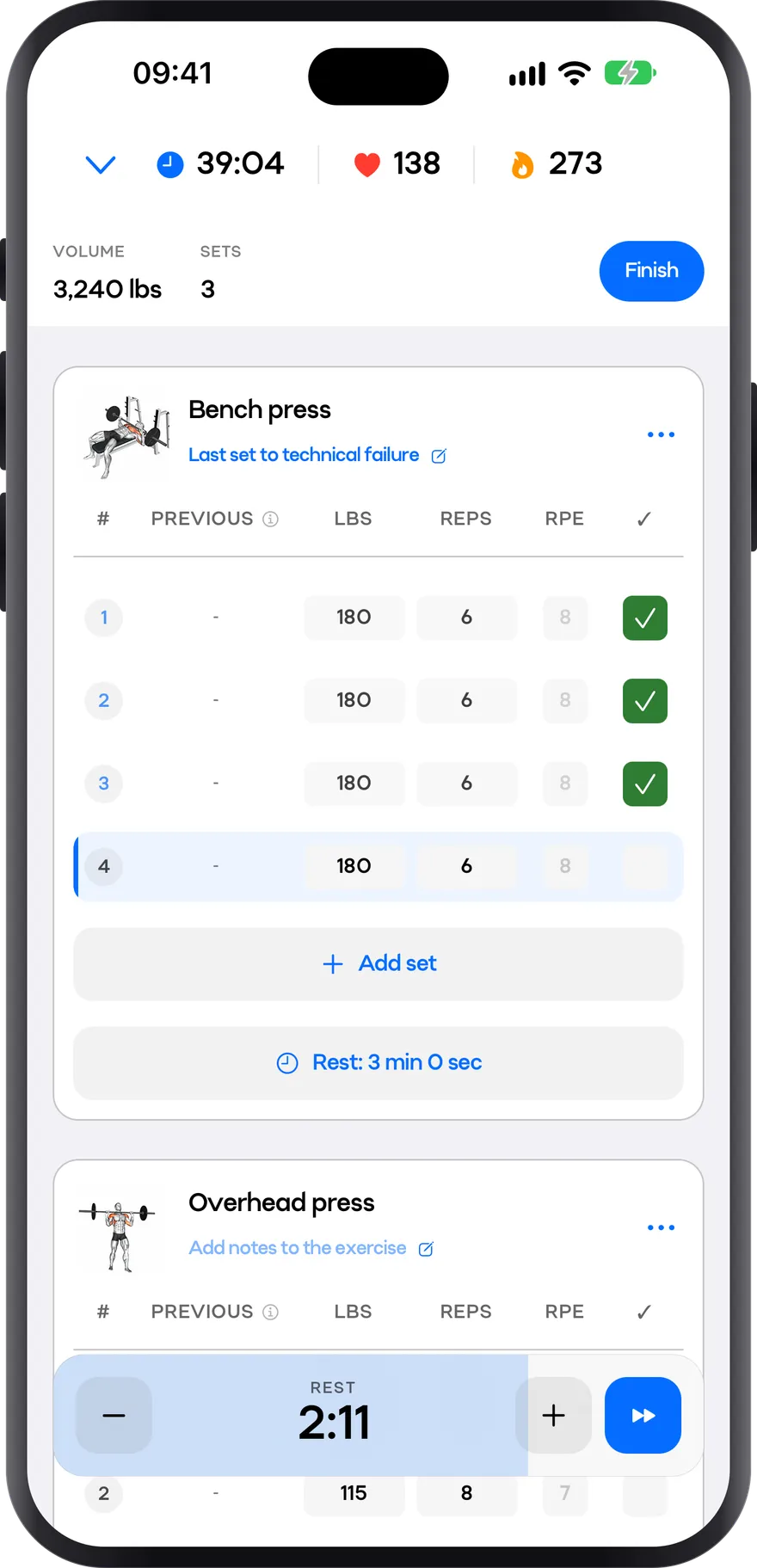
Every set in two taps
The set table is built to be used standing up, between sets: weight, reps, RPE and rest without leaving the exercise screen. Up top, the session’s time, heart rate and calories.
- Weight, reps and RPE for every set
- Rest timer and notes for each exercise
- Volume, sets, time and heart rate always in view
- 02
Progress
Beat your PRs
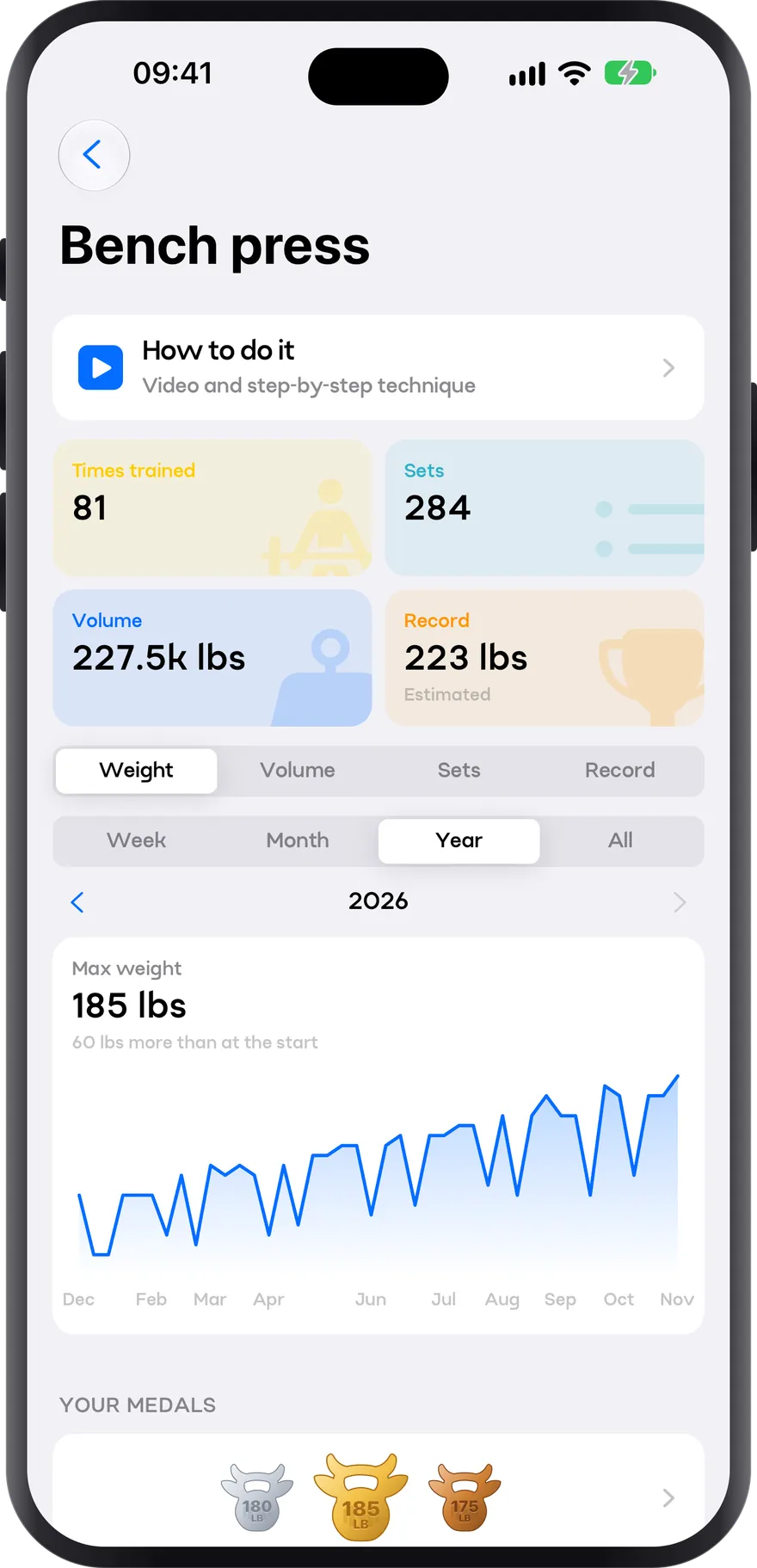
Every exercise keeps its history: times trained, sets, volume and your estimated max. Your progress charted, week by week or across the year, and a medal for every record.
- Estimated 1RM from every set
- Chart your record, weight, volume or sets
- Gold, silver and bronze medals for your best lifts
- 03
Profile
Share every workout
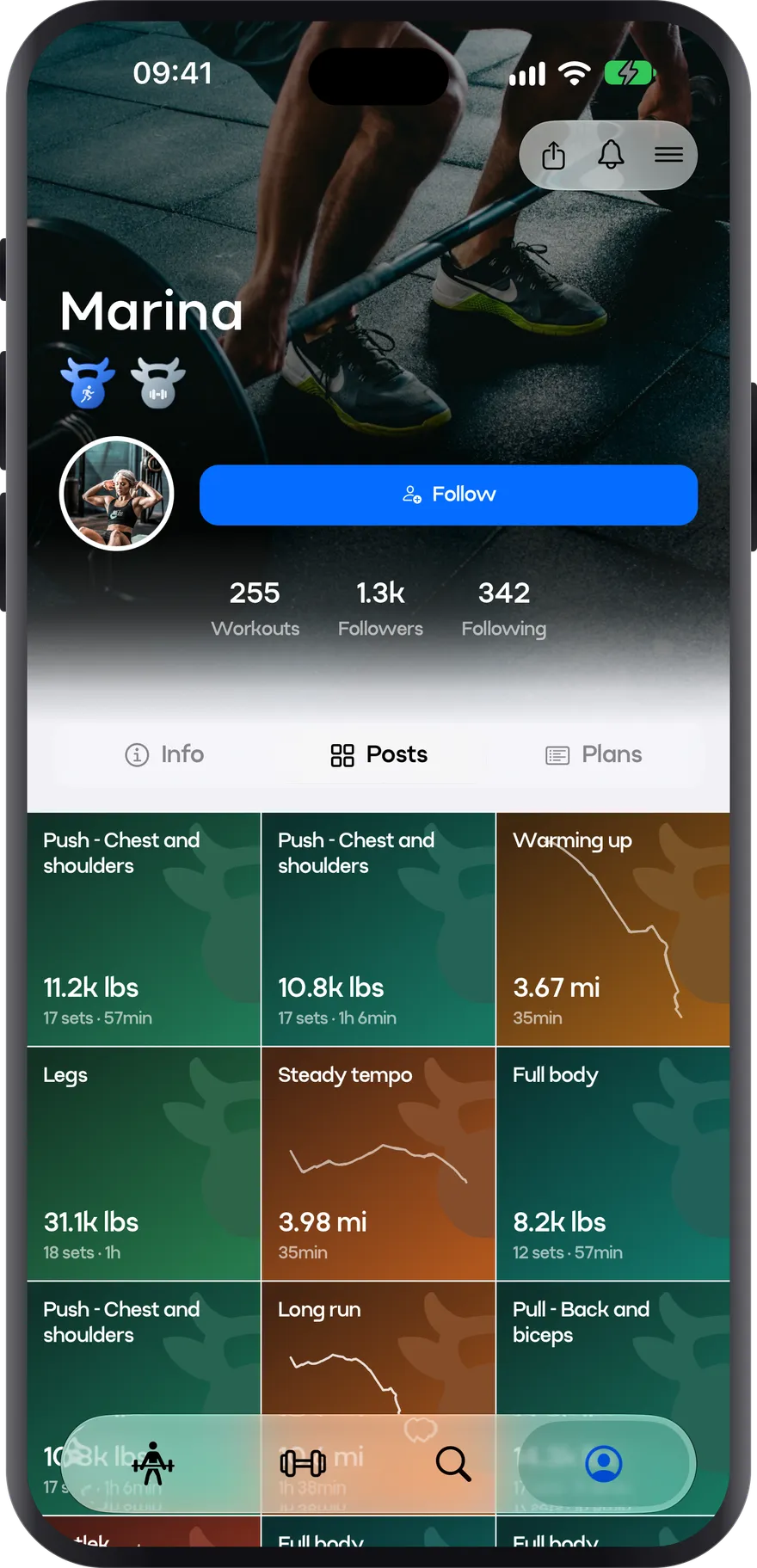
Every workout you post stays on your profile, with its map, photos and PRs. Follow other athletes and see what they train. You decide what’s visible.
- Posts with the map, photos and numbers of each workout
- Followers, following and total workouts
- One link to share your profile
How you use it
- 1
Pick or build your plan
Start from a template or build your own with exercises from the catalogue.
- 2
Train and log
Open the session, tap the set, done. The app remembers what you lifted last time.
- 3
Check your records
Every exercise keeps its history, and when you review the workout you see the records you broke.
- 4
Adjust the next block
With the numbers in front of you, decide whether to repeat, push or change plan.
Plan your week: routines for the days you actually have
Full body, upper/lower and push-pull-legs compared, with complete templates for 2, 3, 4 and 5 days.
Progression and periodization
The six routes to progressive overload, how to build a mesocycle, when to deload, and what to do when you stall.
Measuring progress: what to log and how to read it
Estimated 1RM, effective volume, RIR and body measurements. Which signal is reliable, how often to look at it, and when to act.
The training variables, with numbers
Volume, load, proximity to failure, frequency, rest, range of motion and tempo: what the evidence says about each, and what range to use.
Frequently asked questions
Can I create my own exercises?
Yes. Besides the catalogue you can create your own exercises with video, target muscle, equipment and logging type.
Does it work offline?
Yes. The session saves on your phone and syncs when it’s back online, so you can train where there’s no signal.
Does it work if I also run?
Yes. The same app logs your runs and running intervals, and the stats combine lifting and running.
What happens to my data?
It’s yours. You can export it and delete your account whenever you want; we don’t sell data to third parties.
Stop tracking your sets in your phone’s notes app
Build your plan, log every set, and check in two taps whether you are really progressing.