
Hybrid training app: lift and run in one plan
The gym and your runs in the same week, with progress for both in one place: strength plans, intervals with a target pace and stats that add up kilos and kilometres.
- «I use one app for the gym and another for running, and neither sees the other»
- «I want to get stronger without my times getting worse»
- «I’m training for a race and don’t know where to fit the weights»
What happens today
Two apps that don’t talk
Lifting in one, running in another. Neither sees the whole week, so nothing tells you how much you’re really doing.
Total load, blind
A hard leg session the day before intervals shows. Without seeing both together, the week gets half-planned.
Calories that don’t add up
If your daily target doesn’t know how much you run, it comes up short on long-run days.
What the app does
Everything in one app
Strength sessions, running plans and paced intervals in the same account.
Combined stats
Volume, distance, time and calories in one place, compared with the previous period automatically.
Your week at a glance
The home screen shows how your race prep and your gym month are going, side by side.
Calories from your activity
Your daily target comes from your weight and your activity, and reads Health if you let it.
One-tap strength logging
Weight, reps, RPE and rest, with your previous session beside it.
Running intervals on your watch
Every rep with its target pace and recovery, sent to Apple Watch.
This is what you'll use every day
No mock-ups and no promises: the real screens of the app, exactly as they look on your phone.
- 01
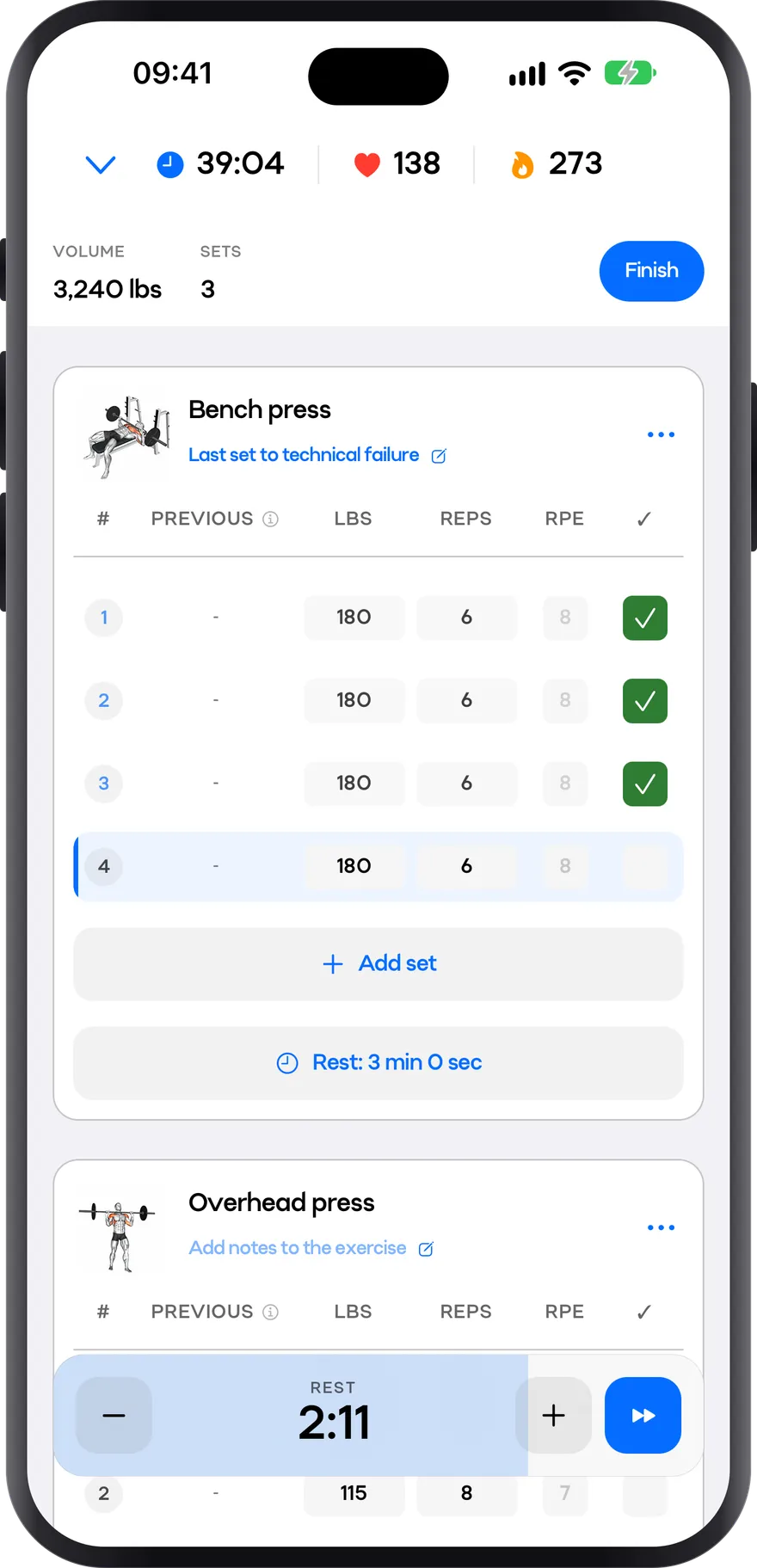
Workout
Every set in two taps
The set table is built to be used standing up, between sets: weight, reps, RPE and rest without leaving the exercise screen. Up top, the session’s time, heart rate and calories.
- Weight, reps and RPE for every set
- Rest timer and notes for each exercise
- Volume, sets, time and heart rate always in view
- 02
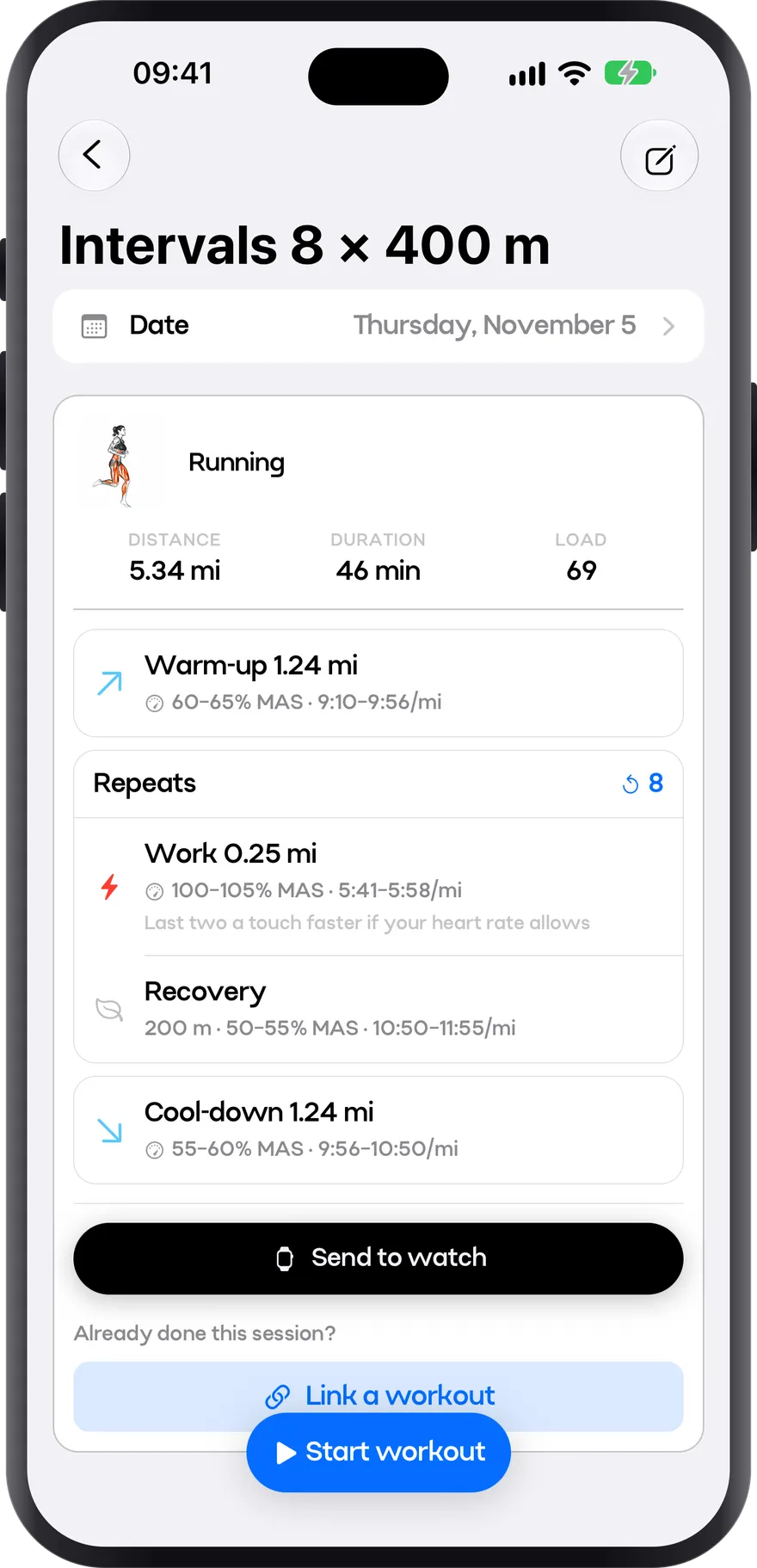
Intervals
Intervals at the right pace
Warm-up, reps and cool-down, each with its pace. It all comes from your MAS, so there’s no guessing how fast to go. Straight to your watch.
- Target pace for every segment, per mile and as % of MAS
- Recoveries and cool-down already worked out
- Sent to your Apple Watch in one tap
- 03
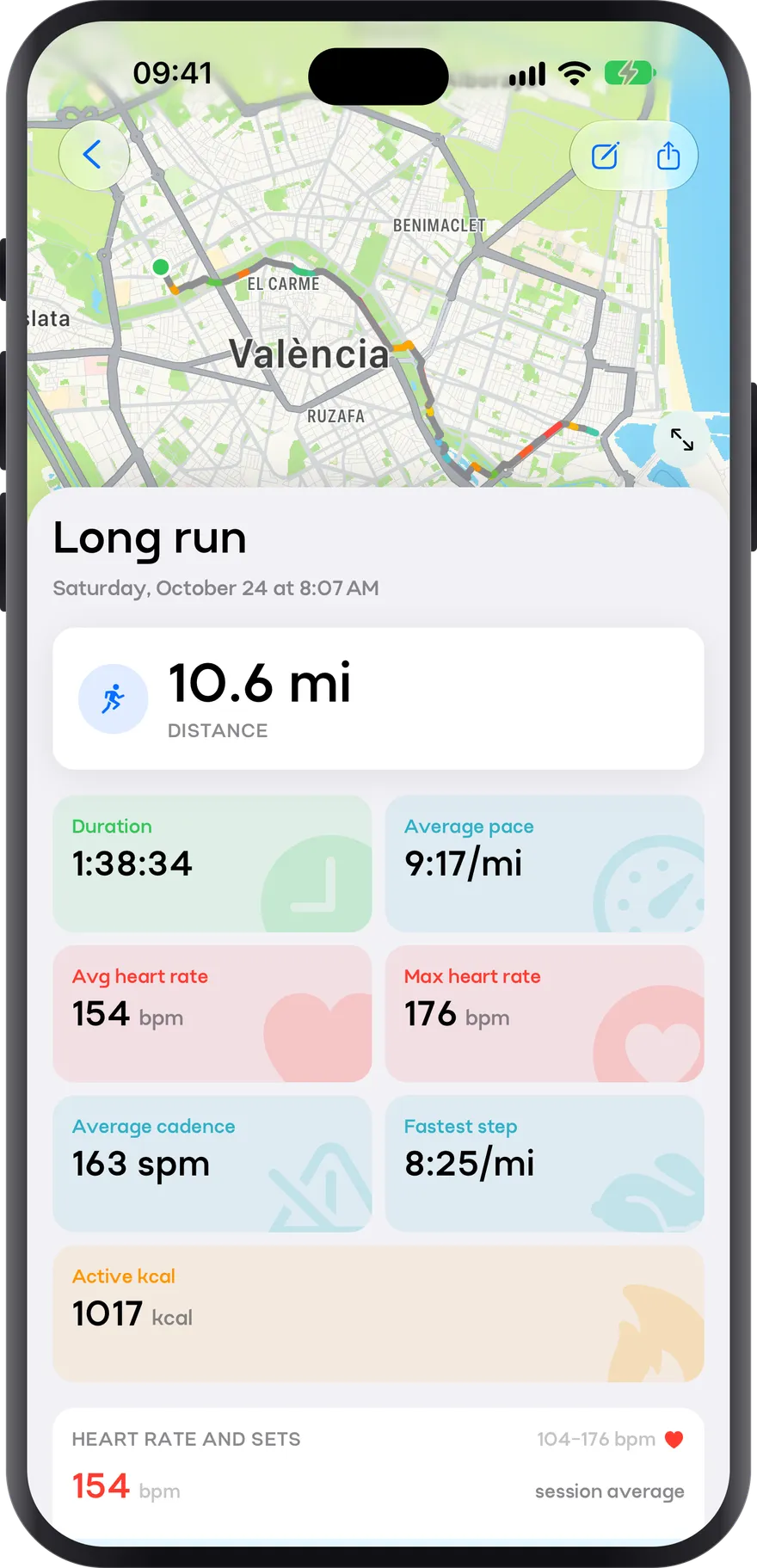
Run
Every mile, measured
When you finish, the whole run at a glance: pace, heart rate and splits, with your route on the map coloured by how fast you were going. From your watch or from Apple Health.
- Route on the map, coloured by pace
- Average pace, average and max heart rate, and cadence
- Fastest split and active calories
- 04
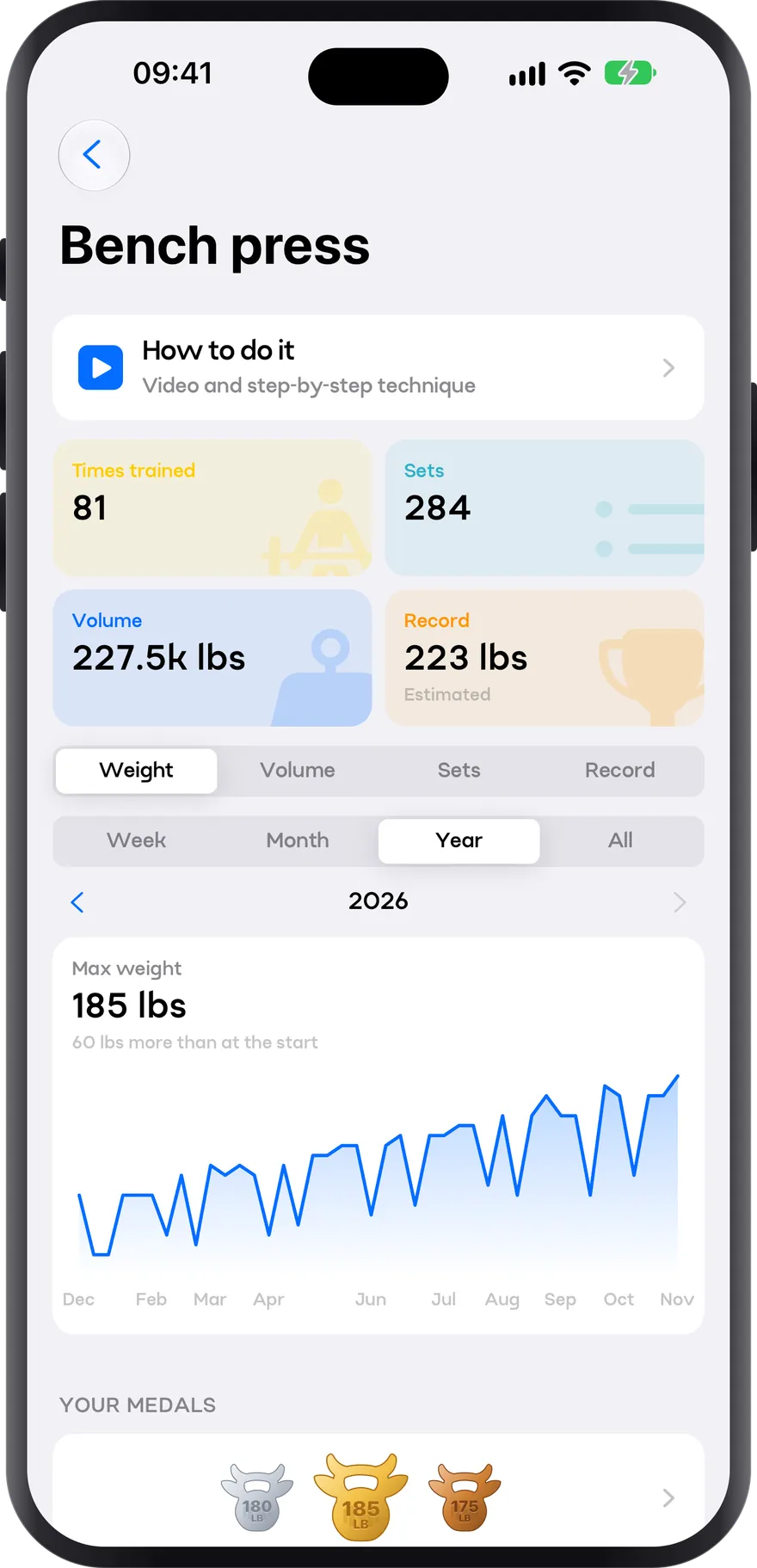
Progress
Beat your PRs
Every exercise keeps its history: times trained, sets, volume and your estimated max. Your progress charted, week by week or across the year, and a medal for every record.
- Estimated 1RM from every set
- Chart your record, weight, volume or sets
- Gold, silver and bronze medals for your best lifts
How you use it
- 1
Build your week
Your strength sessions in the plan and your runs with their goal.
- 2
Lift and run
Log your sets in the gym and carry your running intervals on Apple Watch.
- 3
See the whole picture
The stats add up kilos and kilometres, week by week.
- 4
Adjust
With the total load in front of you, decide where to push and where to ease off.
Hybrid training: how to combine lifting and running without one hurting the other
What hybrid training is, how much running takes away from strength and how to avoid it, sample 3, 4 and 5-day weeks, EMOM and AMRAP circuits, how to progress and how to prepare for a hybrid fitness race.
Strength for runners: what to train and why it works
Heavy loads and plyometrics improve economy and performance without touching VO₂max. Which exercises, how many sets, and how to fit it in without arriving wrecked to your intervals.
Plan your week: volume, progression and down weeks
How much volume, how to split it, how much to add each week, and what the evidence actually says about the famous 10% rule.
Plan your week: routines for the days you actually have
Full body, upper/lower and push-pull-legs compared, with complete templates for 2, 3, 4 and 5 days.
How many calories you need
Where the number comes from: resting metabolic rate, activity factor, and which equation to use. Including what is known about their accuracy, which is less than any calculator implies.
Frequently asked questions
Will strength training make me slower?
Done right, the opposite: strength training improves running economy. The running guide has a chapter on how to do it.
How do I split gym and running across the week?
Keep hard leg sessions apart from quality running sessions, ideally with a day in between. The week-planning chapter walks you through it.
Do I need two accounts or two apps?
No. Strength and running live in the same app and the same account.
Does it work offline?
Yes. The session saves on your phone and syncs when it’s back online.
One app for your whole week
Install My PR and keep the gym and your runs in one place from today.